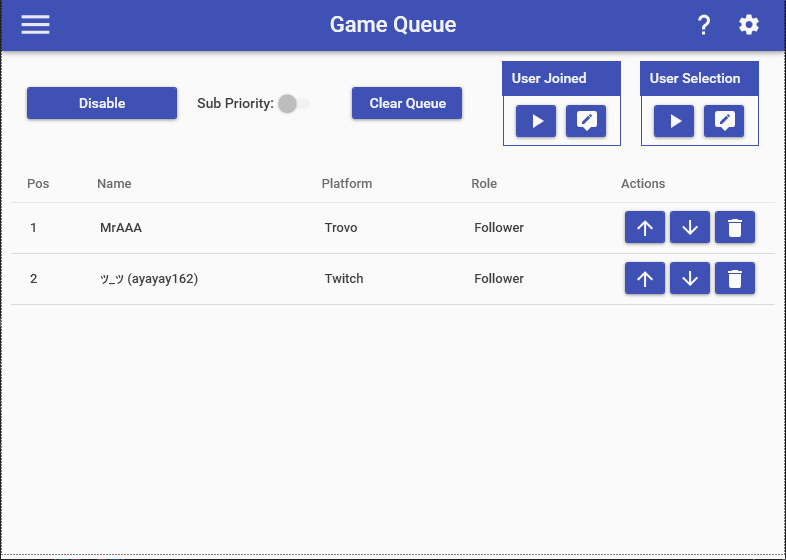
The Game Queue feature allow you to easily play with your viewers by setting a simple structure around joining your game. The Game Queue must be enabled for this feature by selecting the toggle button at the top. By using the Game Queue Action in commands, you can interact with the Game Queue in a variety of ways. The Game Queue page allows you to easily see all users currently waiting to play with you, alter their position in line, and remove users.
While the Game Queue is active, the following additional Special Identifiers can be used in any command:
- $gamequeuetotal = The total number of users in the game queue currently (EX: 10)
- $gamequeueusersX = The top X users currently in the Game Queue as a comma-delimited list (EX: Joe, Sally, Fred)
Game Queue Action
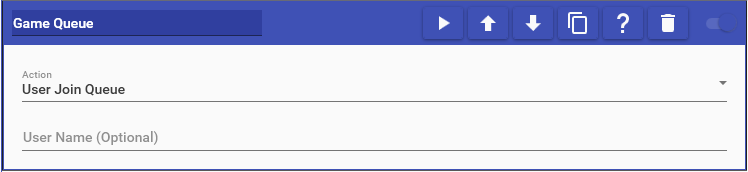
Game Queue actions allow you to interact with the queue to player with the streamer. For more information, please refer to the Game Queue page.
This action supports the following options:
- User Join Queue: Adds the user to the queue.
- User Join Front of Queue: Adds the user to the front of the queue.
- User Leave Queue: Removes the specified user from the queue and does not select them for play.
- User’s Queue Position: Whispers to the user their position in the queue.
- Queue Status: Sends a message with the current count of users in the queue and the first 5 players at the front of the queue.
- Select User at Front of Queue: Removes the person at the front of the queue and alerts them in chat to be ready to play.
- Select Random User in Queue: Removes a random user from the queue and alerts them in chat to be ready to play.
- Select First User of Type in Queue: Removes the first user of the specified type from the queue and alerts them in chat to be ready to play.
- Clear Queue: Clears all users from the queue
- Enable/Disable Queue: Enables/disables the queue